Geetesh Bajaj, Author - Page 10 of 13


Author Archives: Geetesh Bajaj

Browse posts authored by Geetesh Bajaj.

See Also:
PowerPoint and Presenting Notes
PowerPoint and Presenting Glossary



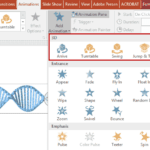
3D Animations in PowerPoint January 2nd, 2018
Animate 3D Models in PowerPoint Without Morph


Snake 1904343 December 27th, 2017
Single and Double-Byte Fonts in PowerPoint


An Exotic Font December 15th, 2017
Use Non-Installed Fonts in PowerPoint


Select All Caps December 13th, 2017
Difference Between UPPERCASE and All Caps


Makeover 01 - Add Dark Gradient Fills November 24th, 2017
PowerPoint Makeover 01: Don’t Use Icons and Pictures Together


Transparent Pattern Fills in PowerPoint 01 September 18th, 2017
Transparent Pattern Fills in PowerPoint


Publish Slides August 28th, 2017
Export All Slides to Single Slide PowerPoint Presentations


Show Text Formatting Enabled July 30th, 2017
Show Formatting in Notes Pane in PowerPoint


3D Model in PowerPoint July 24th, 2017
3D Models in PowerPoint


Circle Illusion Animation in PowerPoint July 19th, 2017
Circle Illusion Animation in PowerPoint


Smallest Font Size for Slides July 12th, 2017
Smallest Font Size for PowerPoint Slides


3D in PowerPoint - Heather Alekson July 6th, 2017
3D in PowerPoint and Microsoft Office


PowerPoint's Mouseover Malware Trojan Horse June 13th, 2017
PowerPoint’s Mouseover Malware Trojan Horse


Switch Row/Column Grayed Out for a Chart in PowerPoint June 7th, 2017
Switch Row/Column Grayed Out for a Chart in PowerPoint?


Presenter Media Timeline Navigate 01 June 2nd, 2017
Timelines that are Different – 07


June 22nd, 2016
Timelines that are Different – 06


Timelines that are Different - 05 June 15th, 2016
Timelines that are Different – 05


May 30th, 2016
Timelines that are Different – 04


May 25th, 2016
Timelines that are Different – 03


May 20th, 2016
Pickit Brings Free Pictures to PowerPoint Again


May 9th, 2016
Timelines that are Different – 02


May 6th, 2016
Timelines that are Different – 01


January 20th, 2016
Close Linked Presentations


Prezi's font choices toolbar July 5th, 2014
Prezi Notes for PowerPoint Users 01: Change Fonts


October 1st, 2012
Turn Off Animation Preview


Popular Posts

pptXTREME Add-ins for PowerPoint pptXTREME Add-ins for PowerPoint

Explore pptXTREME’s PowerPoint add-ins that streamline design, boost productivity, and enhance presentation quality for designers and consultants.


Hiding Slide Titles in PowerPoint Hiding Slide Titles in PowerPoint

Slide titles in PowerPoint are more than just labels—they structure your presentation, enhance accessibility, and streamline navigation. But what if a visible title disrupts your slide design? Instead of deleting it entirely, you can opt for hidden titles, retaining all their benefits while keeping your layout clean. In this guide, we explore why hidden slide ...


Transparent Pattern Fills in PowerPoint 01 Transparent Pattern Fills in PowerPoint

Did you know that PowerPoint 2003 and previous versions provided an option to create pattern fills for shapes that had transparency? For example, you could end up with horizontal lines that were 50% transparent, 20% transparent, or transparent with any percentage value. Look at Figure 1, below and you can clearly see what I am ...


Page 1 Page 8 Page 9 Page 10 Page 11 Page 12 Page 13


Microsoft and the Office logo are trademarks or registered trademarks of Microsoft Corporation in the United States and/or other countries.
Plagiarism will be detected by Copyscape

© 2000-2026, Geetesh Bajaj - All rights reserved.

since November 02, 2000