Geetesh Bajaj, Author - Page 12 of 13


Author Archives: Geetesh Bajaj

Browse posts authored by Geetesh Bajaj.

See Also:
PowerPoint and Presenting Notes
PowerPoint and Presenting Glossary


April 8th, 2006
Pause Slides, Sounds, and Movies – and Resume!


Kevin Lerner February 22nd, 2006
7 Key Tips to Using PowerPoint


February 17th, 2006
Zoom Objects in PowerPoint


February 16th, 2006
Scrolling Credits in PowerPoint


February 6th, 2006
Menu To Run Multiple Presentations


November 16th, 2005
PowerPoint Narrations show up as Unix Executables!


July 28th, 2005
PowerPoint for Windows Versions


David Marcovitz June 26th, 2005
Start a PowerPoint Presentation Without Clicking


June 24th, 2005
Windows Media Player, Ripping and DRM


June 21st, 2005
Change Alignment of Numbers in a Chart


June 20th, 2005
Save Sound Clips from the Clip Art Gallery & Task Pane


June 19th, 2005
Fake it with multiple text boxes


May 27th, 2005
Text Shadows In AutoShapes


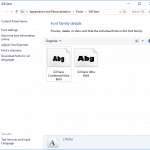
Gill Sans September 6th, 2004
This Presentation Cannot Be Edited Because It Contains a Read-Only Embedded Font


September 5th, 2004
A Quiz Question: Custom Show Answers


August 26th, 2004
Using the Object Packager to embed Video


August 24th, 2004
How do I convert word lists in Excel to PowerPoint slides


Glenna Shaw August 23rd, 2004
How Do I Loop Sound/Music for a Looped Presentation?


PPTX vs. PPSX (or PPT vs. PPS) August 21st, 2004
PPTX vs. PPSX (or PPT vs. PPS)


August 2nd, 2004
PowerPoint Links and Link Problems


August 1st, 2004
How do I email a PowerPoint presentation?


July 26th, 2004
How can I convert a presentation into a movie format like MPG, AVI or QuickTime?


Show Popup Toolbar in PowerPoint July 25th, 2004
How Do I Hide the Navigation Buttons That Appear in PowerPoint’s Slideshow View?


July 14th, 2004
How can I import multiple images at once into my presentation?


July 14th, 2004
Why can’t I see part of my bullets?


Popular Posts

pptXTREME Add-ins for PowerPoint pptXTREME Add-ins for PowerPoint

Explore pptXTREME’s PowerPoint add-ins that streamline design, boost productivity, and enhance presentation quality for designers and consultants.


Hiding Slide Titles in PowerPoint Hiding Slide Titles in PowerPoint

Slide titles in PowerPoint are more than just labels—they structure your presentation, enhance accessibility, and streamline navigation. But what if a visible title disrupts your slide design? Instead of deleting it entirely, you can opt for hidden titles, retaining all their benefits while keeping your layout clean. In this guide, we explore why hidden slide ...


Transparent Pattern Fills in PowerPoint 01 Transparent Pattern Fills in PowerPoint

Did you know that PowerPoint 2003 and previous versions provided an option to create pattern fills for shapes that had transparency? For example, you could end up with horizontal lines that were 50% transparent, 20% transparent, or transparent with any percentage value. Look at Figure 1, below and you can clearly see what I am ...


Page 1 Page 10 Page 11 Page 12 Page 13


Microsoft and the Office logo are trademarks or registered trademarks of Microsoft Corporation in the United States and/or other countries.

Plagiarism will be detected by Copyscape

© 2000-2026, Geetesh Bajaj - All rights reserved.

since November 02, 2000