
This is the print version of this page. All content is copyright Indezine.com 2000-2026.
Info-things on PowerPoint usage including tips, techniques and tutorials.
See Also:
PowerPoint and Presenting Notes
PowerPoint and Presenting Glossary
In this post, we explore troubleshooting a PowerPoint animation problem. We look at what to do when PowerPoint animations stop working, and then, we also explore how you can stop all animations in your presentation with one option.
One of our subscribers just reached out to say, The slides in my PowerPoint are not showing the animations I have set. I double-checked and all animations have been set properly. So why don’t the animations play?
Call it a coincidence, but we recently also heard another question, I have detailed animations set up on my PowerPoint slides, but can I disable the animations without deleting them altogether? I need to preview a bunch of these slides for non-animated stuff, and I have to view all animations which is taking so much time. One of my slides has thirty-two animations and it takes more than 4 minutes to preview them. If I could disable these animations, I would save 4 minutes each time I play the presentation only with this one slide!
The resolution to both these problems may be the same. To find out more, follow these steps:
Filed Under:
Troubleshooting
Tagged as: Animation, Slide Show View, Troubleshooting
Comments Off on PowerPoint Animations Not Working?
In this post, we are reviewing iSpring Suite Max, which is the current release of iSpring Solutions’ eLearning suite of applications. We have already reviewed iSpring Suite 9.7 in the past. This time as well, my contact at iSpring Solutions Inc. was Maria Varankina. Thank you for coordinating, Maria. We also featured Slava Uskov of iSpring in an exclusive interview about new features in iSpring Suite Max.
To begin with, I uninstalled iSpring 9.7 from my system. Next, I installed the new iSpring Suite Max product, as shown in Figure 1, below. Do note that although the setup routine mentions iSpring Suite 10, the product installed is iSpring Suite Max. Both 10 and Max refer to the same product.
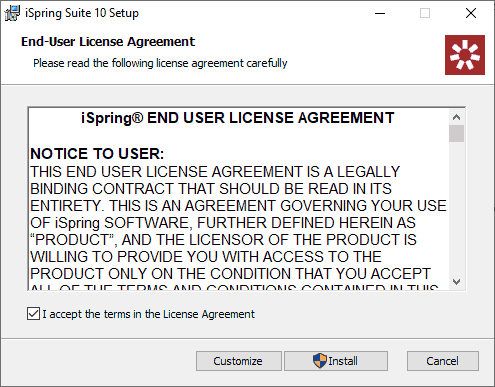
Figure 1: iSpring Max Setup
Filed Under:
Reviews
Tagged as: Add-in, eLearning, iSpring, Review
Comments Off on iSpring Suite Max: The Indezine Review
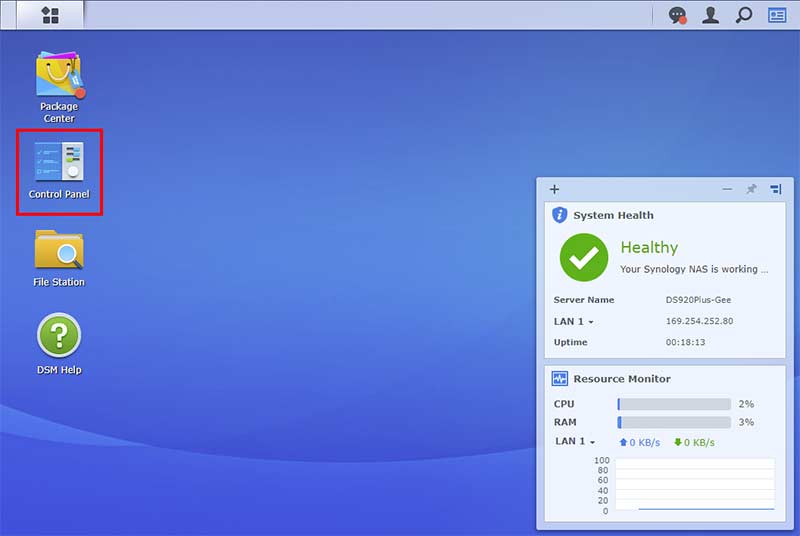
When you set up your Synology DS920+ or another Synology NAS device, you will be asked to create a user. Additionally, there may be an existing Admin user. Also, you or someone else may have added more users. We will learn how to explore existing users and add a new user in this post. In our next post, we will look at editing and removing users.
Follow these steps to explore this walkthrough:
Filed Under:
Hardware
Tagged as: Hardware, Storage, Synology
Comments Off on Add Users on the Synology DS920+
By Barrera Alcova
Microsoft PowerPoint has been the go-to expert tool for digital presentations for over three decades. It has been used and preferred by students, sales executives, senior directors, and everyone else for their day-to-day needs.
Although the software has been the industry pioneer, today, several other tools can offer you similar functionalities. Yet, for millions of users across the world, Microsoft PowerPoint continues to be the most popular digital tool to communicate their ideas efficiently.

Image: Conference speaker, from Freepik
Filed Under:
Thoughts
Tagged as: Ideas, PowerPoint, Thoughts
Comments Off on 7 Things PowerPoint Can Do Better Than Alternative Software
By Barrera Alcova
Presentation skills are pretty critical today if you want to succeed at school or work. The ability to express your ideas clearly relies heavily on your familiarity with key software for creating presentations.
Undoubtedly, for a presentation to be successful, it should always be supported by excellent public speaking skills. However, it’s the visualization that people remember the most.

Image: Unsplash
Filed Under:
Techniques
Tagged as: Education, PowerPoint, Students, Tips
Comments Off on 11 Best PowerPoint Tips for a Freshman Student
Microsoft and the Office logo are trademarks or registered trademarks of Microsoft Corporation in the United States and/or other countries.