
This is the print version of this page. All content is copyright Indezine.com 2000-2026.
Info-things on PowerPoint usage including tips, techniques and tutorials.
See Also:
PowerPoint and Presenting Notes
PowerPoint and Presenting Glossary
As many of you are aware, we are running a series of posts on Presentation Management. This has been possible with support from AlexAnndra Ontra and James Ontra, who have permitted us to serialize their book. Additionally, some value addition to the content is being done to add visuals, videos, excerpts, and more so that we can bring you a more interactive format.
Here are all posts that are part of this series.
 Presentation Management 01: Ending the Tangled Mess of PowerPoint?
March 11, 2019
 Presentation Management 02: What’s Wrong With PowerPoint (As If You Didn’t Know Already)
April 12, 2019
Filed Under:
Guest Post
Tagged as: AlexAnndra Ontra, Geetesh Bajaj, Guest Post, James Ontra, Presentation Management
Original content by AlexAnndra Ontra and James Ontra
Enhanced by Geetesh Bajaj
In the last post in this series, we looked at how important compliance is in presentation management. In this post, we explore how components of presentation management can help you achieve the availability of content seamlessly, every day.
Presentation management balances both sides of the enterprise: the high-level corporate brand and objectives with the everyday tasks of the employees out in the field — the folks whose day-to-day tasks are what actually build the business. Presentation management makes enterprise files available for everyday use and vice versa. It’s like a merger of content. To achieve this requires three key components:
These components, when combined, will change the nature of presentations in your organization.

Filed Under:
Guest Post
Tagged as: AlexAnndra Ontra, Geetesh Bajaj, Guest Post, James Ontra, Presentation Management, Shufflrr
Comments Off on Presentation Management 10: Enterprise Files for Everyday Use
I haven’t found a listing of presentation industry events anywhere, so I decided to compile this list of conferences and webinars. If you find an event not listed here, or you host an event that you want listed here, please connect with me.

Here is a list of known presentation industry events:
Filed Under:
Reference
Tagged as: AppleKeynote, Events, Google Slides, PowerPoint, Prezi, Services
Comments Off on Presentation Industry Events
Original content by AlexAnndra Ontra and James Ontra
Enhanced by Geetesh Bajaj
In the last post in this series, we looked at how presentation management can increase productivity. And in this post, we explore something that goes along with productivity: compliance.
Compliance can mean different things to different organizations:

Filed Under:
Guest Post
Tagged as: AlexAnndra Ontra, Geetesh Bajaj, Guest Post, James Ontra, Presentation Management, Shufflrr
Comments Off on Presentation Management 09: Ensure Compliance
Original content by AlexAnndra Ontra and James Ontra
Enhanced by Geetesh Bajaj
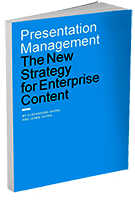 This post is part of a series on Presentation Management, and is the eighth post in this series.
In the last post, we looked at how Presentation Management helps you evolve from One-and-Done to Enterprise Assets.
This set of serialized posts is based on original content, the Presentation Management: The New Strategy for Enterprise Content book, authored by AlexAnndra Ontra and James Ontra.
The core benefit of presentation management is the ability to create great content once, and then make it available to anyone in the organization to use over and over again. Typically, that content is a PowerPoint deck, but it could also be a video, PDF brochure, white paper or infographic. The format doesn’t matter. What matters is the ability to take any piece of content and unleash it across the organization.

Filed Under:
Guest Post
Tagged as: AlexAnndra Ontra, Geetesh Bajaj, Guest Post, James Ontra, Presentation Management, Shufflrr
Comments Off on Presentation Management 08: Increases Productivity
Microsoft and the Office logo are trademarks or registered trademarks of Microsoft Corporation in the United States and/or other countries.