
This is the print version of this page. All content is copyright Indezine.com 2000-2026.
Info-things on PowerPoint usage including tips, techniques and tutorials.
See Also:
PowerPoint and Presenting Notes
PowerPoint and Presenting Glossary
Millions of presentations are created, and you may have seen at least hundreds of presentations in your lifetime. Yet, how many of them do you remember a few days or weeks after you have seen them?
You may see the occasional, amazing slide that you remember, but for most of us who are not PowerPoint designers, the bad slides are similar to what a Google Images search for the same term shows up, as you can see in Figure 1, below.
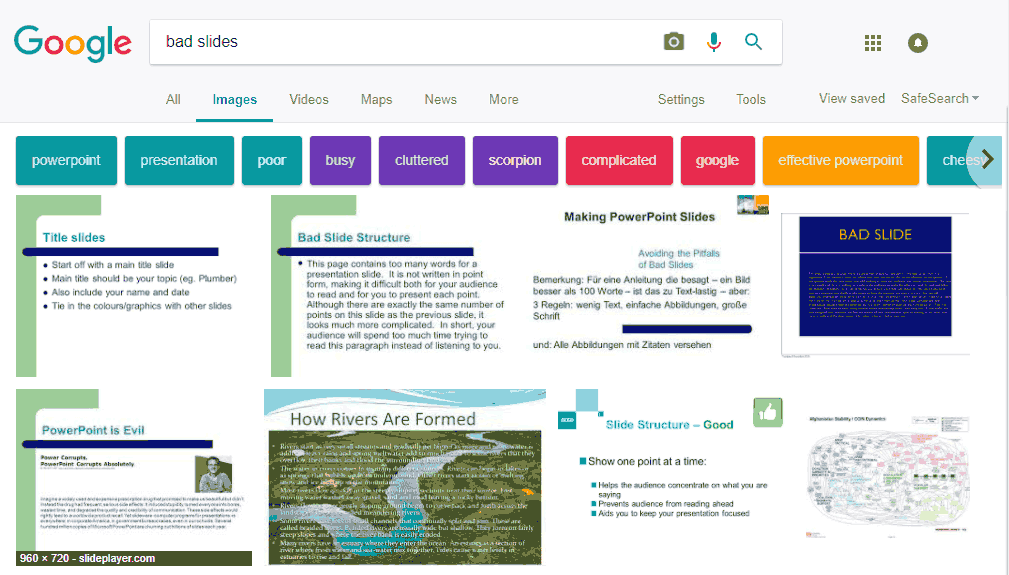
Figure 1: A search for ‘bad slides’ on Google Images
Filed Under:
Techniques
Tagged as: Guidelines, Pictures, PowerPoint, Promoted, Techniques, Text, Tips
Comments Off on Five Ways to Improve PowerPoint Presentations
Did you receive a PDF from someone that needs to be converted into a PowerPoint presentation? Or did you lose the original PowerPoint file, and only have a PDF version left? Maybe you received an InDesign or Quark file that needs to do double-duty as a PowerPoint deck? Or there may be any number of reasons to create an editable PowerPoint slide deck from a PDF.
Products that create PowerPoint presentations from PDFs are aplenty, and Adobe’s own Acrobat Pro XI or a newer version can do the trick. But when you need something more than just basic conversion, you can look at PDFelement 6 Pro. What’s so special about PDFelement 6 Pro? To start with, did you know that if your PDF has scanned pictures of text, other products will retain the picture as it is within the converted PowerPoint file. But PDFelement 6 Pro can also convert the text within a picture into editable text so that you don’t have to type it all over again!
Filed Under:
Reviews
Tagged as: PDF, PDFelement, PowerPoint, Review
Comments Off on Convert PDF to PowerPoint with PDFelement 6 Pro
Originally, this started with a discussion in an internal group exploring solutions that would allow one click on a remote to advance two presentations at the same time. Why would anyone want two presentations to move ahead at the same time?
There are many reasons why presenters may want to move to the next slide in two decks at the same time:
If you are presenting to a multilingual audience, you may want to present the same content in two languages.
Filed Under:
Tricks
Tagged as: Delivery, Hardware, PowerPoint, Troy Chollar
Comments Off on Advance Two PowerPoint Presentations With a Single Click
A few days ago, I needed to demo some animation effects in a training class. I happened to open one of my older presentation decks, and this one was probably created using PowerPoint 2002 or 2003. The animation was just what I needed. With a few tweaks, this deck could save me hours of work. There was just one small problem. The slides were all 4:3 Standard resolution, and the new deck needed to be 16:9 Widescreen resolution.
Figure 1, below shows one of the slides from the old deck.
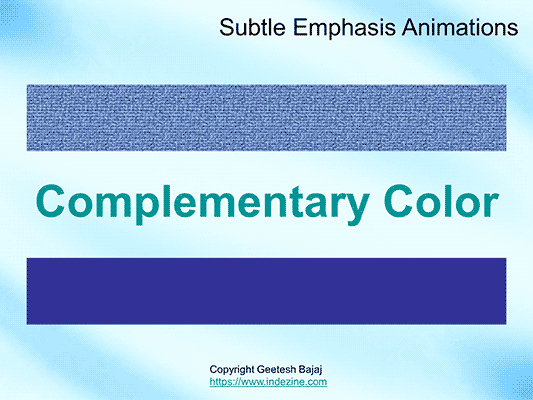
Figure 1: Slide before using the Slide Size command
Filed Under:
Troubleshooting
Tagged as: PowerPoint, Slide Size, SuperThemes, Theme Variants
We explored how you can add 3D objects in PowerPoint using the new 3D feature available to Microsoft Office 365 subscribers. But until now, any movement happened using the Morph transition effect.
So what does “movement only through Morph” mean? It means that you could not animate the 3D object in 3D space without Morph. Any movement in 3D space was only possible using a Morph transition, and the biggest disadvantage of this approach was that you needed to duplicate your slide for any movement to occur. For a reasonably adventurous concept, you may even need more than two slides. I remember creating something with 3D models that spanned 5 slides, all with the Morph transition applied.
Filed Under:
New Features
Tagged as: 3D, Office 365, PowerPoint, PowerPoint 2016
Microsoft and the Office logo are trademarks or registered trademarks of Microsoft Corporation in the United States and/or other countries.